Diagram Format Comparison
This folder shows the same simple system flow in two authoring formats:
system-flow.mmd→ a Mermaid source examplesystem-flow.d2→ a D2 source example
Both also have SVG outputs you can embed anywhere.
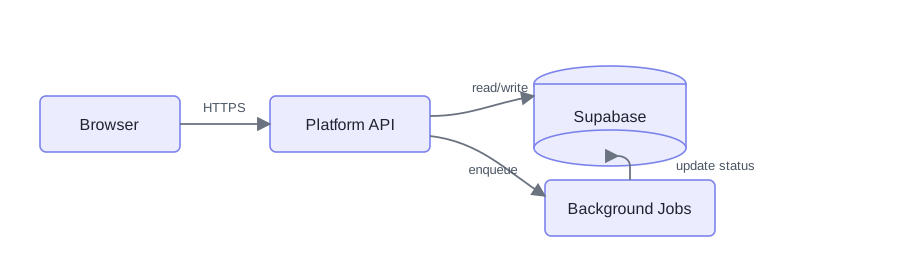
Mermaid-style SVG
Brainforge-branded D2-style SVG
This version is a cleaner layout-first sample: less chrome, no built-in caption, no default legend, lighter watermark, more whitespace around heavier shapes, and separate connector lanes on the right side.
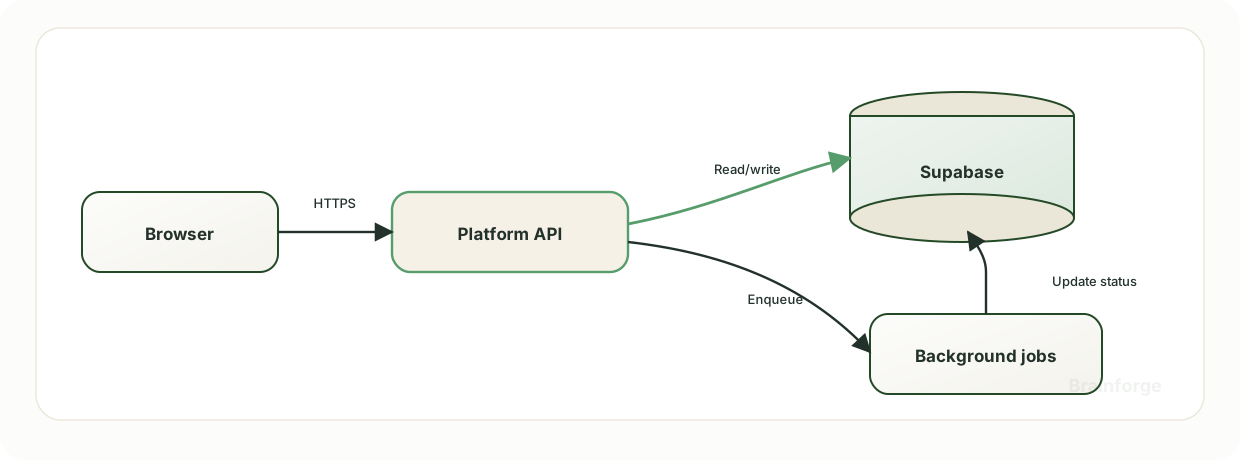
Real D2-generated SVG
This is the direct CLI output from system-flow.d2 using npm run diagrams:render.

Mermaid Source
flowchart LR
    Client[Browser]
    API[Platform API]
    DB[(Supabase)]
    Worker[Background Jobs]

    Client -->|HTTPS| API
    API -->|read/write| DB
    API -->|enqueue| Worker
    Worker -->|update status| DB
D2 Source
direction: right

Client: Browser
API: Platform API
DB: Supabase {
  shape: cylinder
}
Worker: Background Jobs

Client -> API: HTTPS
API -> DB: read/write
API -> Worker: enqueue
Worker -> DB: update status
Workflow Note
Use the generated artifact for quick internal diagrams. When a diagram needs the full Brainforge treatment, keep the generated SVG as a baseline and refine the published SVG separately.